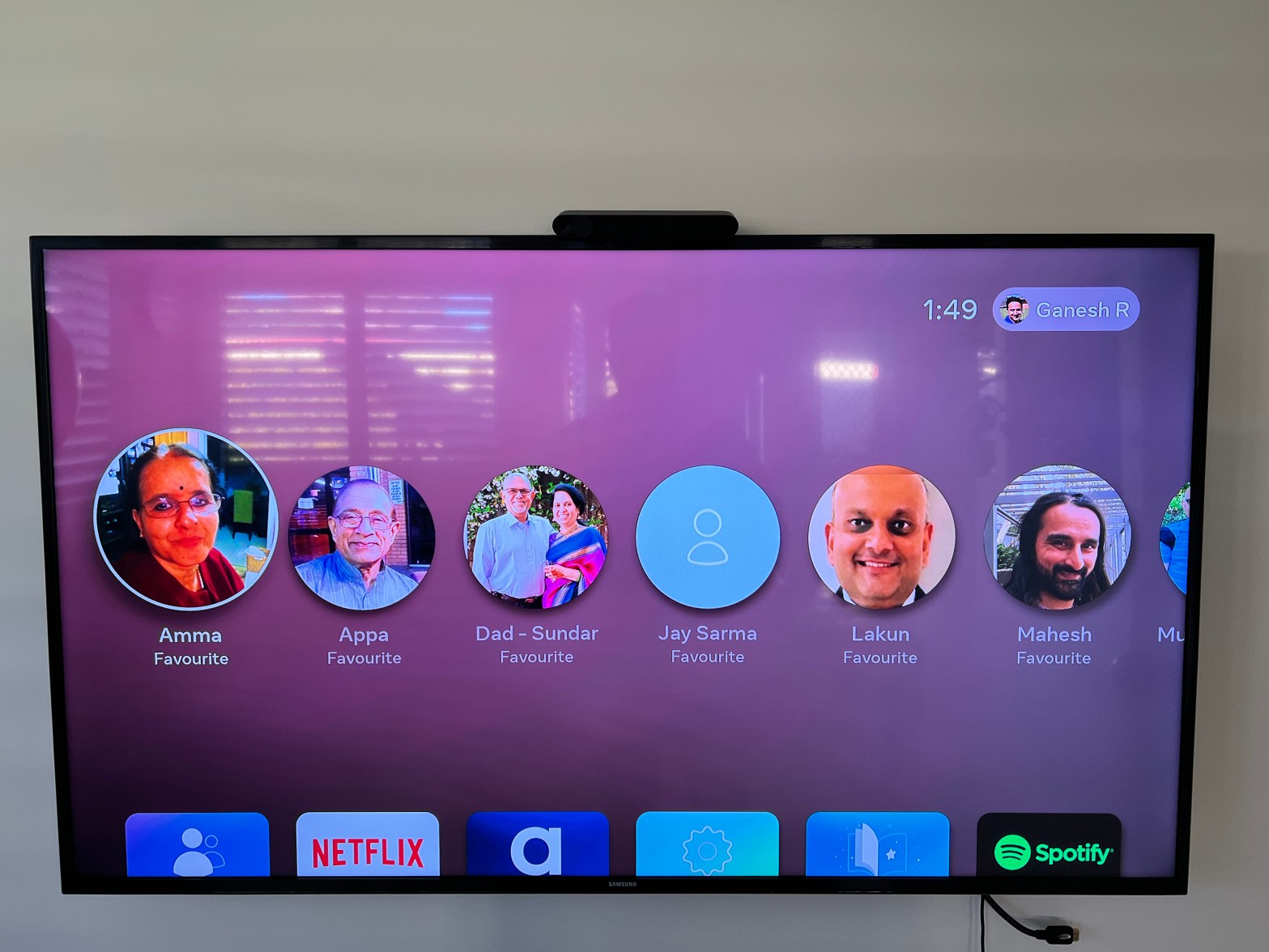
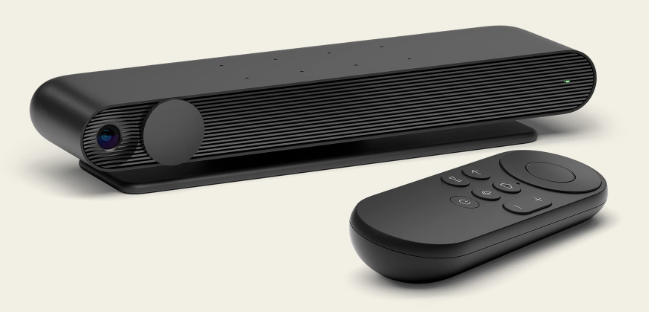
These days, immersion is a big buzz word. I recently went to an amazing immersive art exhibition by Monet held at Fox Studios. Vivid, Sydney’s light festival also featured Vivid house, which was a series of 3D walk through artistic vistas with accompanying fractal imagery and sounds which made it a visual extravaganza and sensory feast. TVs have also progressively become bigger and better, making you feel like you are cheering in the crowd when watching your favourite sport or like you are part of a movie scene with the advent of lifesized movie stars, production sets and special effects. Immersion is where Portal TV by Facebook excels and the good thing is that it leverages the best of what you have already got. This small device converts your TV into a giant video calling screen. It is discreet and low cost but has some really cool cutting edge technology that works well with your existing Social Apps. This review is aimed at introducing its key features for those wanted to know a bit more.
Likes
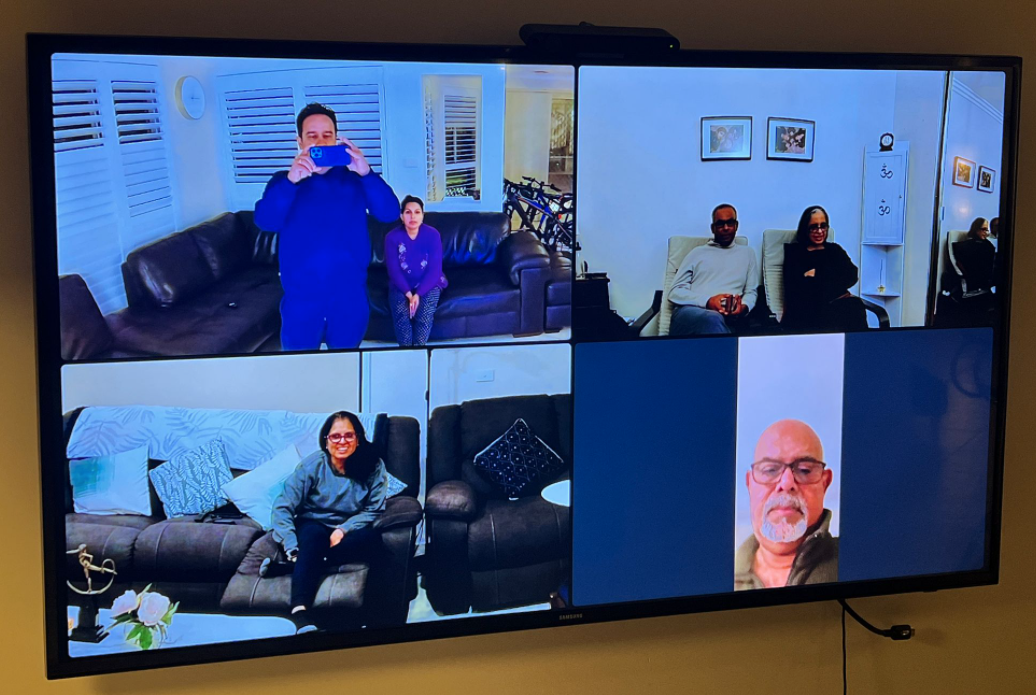
- Immersive – The camera is a wide angle (113 degree) lens so you really feel like the other person is with you in the same room!
- Hands-Free Freedom – You can make calls from the comfort of your lounge or couch. There is no need to carry or rest your device in a fixed location which can get tiring or restrictive, especially for longer calls
- Video & Audio – Video & Audio quality is excellent with background noise minimised
- Pan & Zoom – The camera detects who is speaking and pans and zooms onto the speaker. This means you are free to also move or walk around your living room.
- WhatsApp Video Support – You can link it to your existing WhatsApp account to keep in touch with loved ones. You can also make WhatsApp video calls from your Portal TV even if the other person does not have a Portal TV. It is meant to also support Zoom but at the time of this review I had not tested it yet.
- Group Video Calls – You can have a WhatsApp group video call with up to 4 groups (or 8 groups if using Facebook Messenger)
- Simple – The setup is simple and takes only 10-15 minutes including downloading updates, etc. The remote is idiot proof. The device stays idle when not in use, but is always ready to accept or make video calls
- Privacy – You can slide the camera door shut when the device is not in use
Caveats
- Group Video Calls – When making a group video call on WhatsApp, Portal TV requires you to add people manually to the call. Once they are all added, it works quite well but it would be cool to save the group so you can re-dial the group at once!
- TV Mounting – If you are mounting this on top of the TV, make sure you open the front flap as this will ensure the device is secured and not fall off!
- HDMI Cable – It does not come with a HDMI cable as standard but you can easily buy one for $10
- Portability – If you are on the move, away from your house or wanting to show your surroundings, this device is obviously not suitable as it is not a mobile device but it nicely complements your existing mobiles & tablets.
- Leave it on standby – If you turn the device off, you will not be able to receive inbound calls or you may forget that it’s there in the first place and tend to not use it. Leave it on standby to maximise usage
- Digital Assistant Support – It does not directly support Siri or Google Assistant but it does support Amazon Alexa
Summary
This Portal TV device by Facebook was much better than I expected and very reasonably priced. There is also a special promotion if you buy 2 units and shipping is free. It is the leading product in this category and as it has been through a few iterations, they have nailed the technology, especially the camera. microphone and the immersive experience of seeing everyone up close and personal on a TV which is usually the biggest screen in the house. Best of all, it will allow you to stay in touch and bring you closer to your loved ones without leaving the comfort of your own living room!
 ganesh's blog